A sistema de transbordador de cuatro vías failure in a dense pallet storage system triggers immediate pressure: every minute of downtime has a direct throughput cost. While the instinct is to manually extract the stuck robot, the most effective first response is to let the warehouse control system (WCS) re-route traffic and isolate the fault. In projects I’ve commissioned, I’ve seen operators lose more time trying to force a manual reset than allowing the software to re-plan. This guide walks through a systemic recovery sequence—from alarm acknowledgment to preventive system design—drawn from more than ten years of shuttle system projects in industries ranging from cold chain to automotive manufacturing.
Immediate Actions When a Shuttle Fails
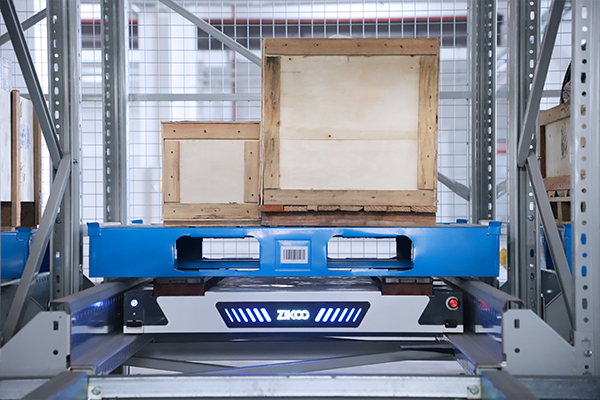
When the alarm sounds, resist the impulse to rush into the aisle. Most sistema de transbordadores de cuatro víass, including the R-bot platform we deploy, are designed to enter a safe state that prevents collisions even before a human responds. The first actions should happen at the control terminal, not on the warehouse floor.
Open the WMS or WCS dashboard and identify the faulted unit by its asset number and rack location. The system will typically display an error code and a brief description—these raw codes are rarely user-friendly, so refer to the equipment-specific fault lookup table. Confirm whether the system has automatically halted traffic in the affected lane. If the shuttle is positioned clear of the main travel path and no adjacent shuttles are at risk, avoid triggering a full emergency stop. A hard stop across an entire level frequently causes a cascade of task cancellations that take hours to untangle.
From the control room, check the communication status of the shuttle. A dropped Wi-Fi node can produce the same dashboard alert as a mechanical jam. If the shuttle is still communicating, query its onboard diagnostics for battery voltage, motor current, and last executed motion command. This one-minute check often reveals whether the failure is real or a transient communication glitch.
Diagnosing the Cause of Four-Way Shuttle Failures
Effective recovery depends on correctly categorizing the fault. I group four-way shuttle failures into four primary domains, each with a distinct set of symptoms and immediate checks. The following table synthesizes field patterns I have observed across multiple installations.
| Failure Domain | Common Symptom | Immediate Diagnostic Check |
|---|---|---|
| Mechanical | Grinding noise, no motion, tilted shuttle position | Inspect drive wheel wear, lift chain tension, rail debris |
| Electrical / Battery | Shuttle fails to initialize, sudden shutdown, low speed | Measure battery voltage under load, check cell balancing, verify charging contact condition |
| Communication | Shuttle unreachable, intermittent position updates | Verify Wi-Fi access point RSSI, check for protocol timeout entries in WCS log |
| Software / Firmware | Repeated route rejection, incorrect pallet detection | Compare firmware version against fleet baseline, review recent path-planning parameter changes |
Mechanical issues are the most disruptive but also the most visible. A worn drive wheel or a bent rail guide will produce a pattern of repeated faults at the same rack location. Battery failures, on the other hand, are insidious: a cell imbalance can reduce effective capacity without triggering a low-voltage alarm until the shuttle is deep inside a lane, far from the charging station. In several cold storage deployments, we traced intermittent shutdowns to battery packs that tested fine at room temperature but sagged below cutoff when soaked at -18 °C for more than three hours.
Communication faults deserve particular attention because they can mimic mechanical jams. If a shuttle loses connectivity for even 200 milliseconds during a lane-change maneuver, the WCS may register it as a collision risk and lock the entire level. Before sending a technician, verify the Wi-Fi coverage map and check for recent structural changes—a new high-bay rack or a metal partition can create a shadow zone that was absent during commissioning.
How the WCS Manages Shuttle Faults and Re‑routing
The true value of an sistema de transbordador automatizado reveals itself during a failure: a well-configured warehouse control system isolates the fault and maintains operations with near-zero human intervention. This is not theory—I have stood in control rooms and watched a 60-shuttle fleet absorb the loss of two units within the same hour without missing a single outbound pallet commitment.
When the WCS receives a fault signal, it executes a sequence that removes the shuttle from the active resource pool. The algorithm first validates that the fault is confirmed, not transient, by checking for repeated error conditions within a configurable time window. Once confirmed, the shuttle is flagged as unavailable, and all pending tasks assigned to it are re-queued. The path-planning engine then re-calculates routes for the remaining shuttles, treating the position of the failed unit as a temporary obstacle. If the shuttle is occupying a lane that blocks access to storage locations, the WCS dynamically re-assigns lifts and alternate aisles to route around the blockage.
Nuestro Software de almacén inteligente PTP platform, which combines WMS, WES, WCS, and RCS functions, performs this re-routing in under 300 milliseconds per affected task. The key factor is spare shuttle capacity. In a system with 10% extra shuttles—say, 55 units where 50 are needed for peak throughput—a single fault typically produces less than a 5% throughput drop. Without spare capacity, the same fault forces the remaining shuttles to operate at maximum duty, and queue lengths build rapidly.
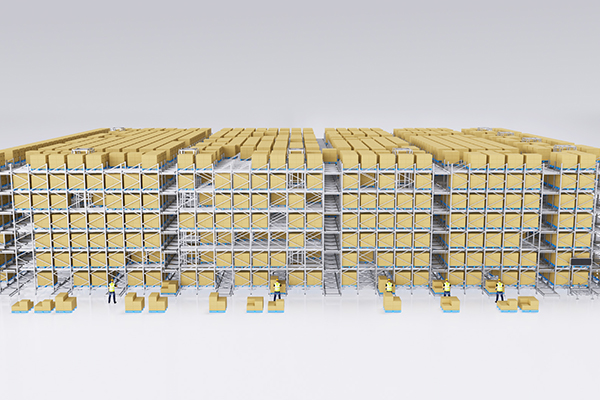
A practical note: the WCS re‑route logic is only effective if the system designer has configured the lane topology and task priorities correctly. I have seen sites where a shuttle failure at a critical merge point could still cripple the warehouse because the WCS was programmed with a simplistic “nearest available” algorithm that did not consider downstream congestion. During commissioning, test not only normal operation but also induced failures at each potential bottleneck.
Manual Recovery for a Stuck Four-Way Shuttle
When the shuttle cannot be re-routed and physically blocks a must-use lane, manual extraction becomes necessary. Do not begin this process until you have confirmed in the WCS that all power to the affected lane has been isolated. Four-way shuttles carry lithium batteries with significant stored energy, and a partial isolation can leave drive motors energized enough to cause injury.
The recovery sequence starts with confirming the shuttle’s mode. Most units have an onboard manual release that disengages the drive and lift motors. On the R-bot, this is a mechanical lever accessible from the aisle side. Engage it and verify that the shuttle can be moved by hand or with a service trolley. If the shuttle is tilted or stuck due to a deformed pallet, use a pallet jack to gently separate the load before attempting to slide the shuttle out.
Once the unit is on a service cart, connect a diagnostic tablet and pull the full event log. Do not clear the error memory and send it back into operation without root cause analysis—a shuttle that has been manually recovered three times in a month is a process problem, not a robot problem. Common repeat-offender issues include a mis-calibrated lift height sensor that causes the shuttle to strike pallet overhangs, or a floor unevenness that triggers an out-of-level safety trip in the same lane every cycle.
If your facility does not have an in-house technician trained on shuttle maintenance, coordinate recovery with the supplier’s remote support team before sending anyone into the rack. Many faults can be cleared remotely through the WCS diagnostic interface. A video call with a supplier engineer who has access to the same dashboard often resolves the situation faster than dispatching a local technician who is seeing the machine for the first time.
Handling Four-Way Shuttle Failures in Cold Storage
cURL Too many subrequests by single Worker invocation. To configure this limit, refer to https://developers.cloudflare.com/workers/wrangler/configuration/#limits
cURL Too many subrequests by single Worker invocation. To configure this limit, refer to https://developers.cloudflare.com/workers/wrangler/configuration/#limits
cURL Too many subrequests by single Worker invocation. To configure this limit, refer to https://developers.cloudflare.com/workers/wrangler/configuration/#limits
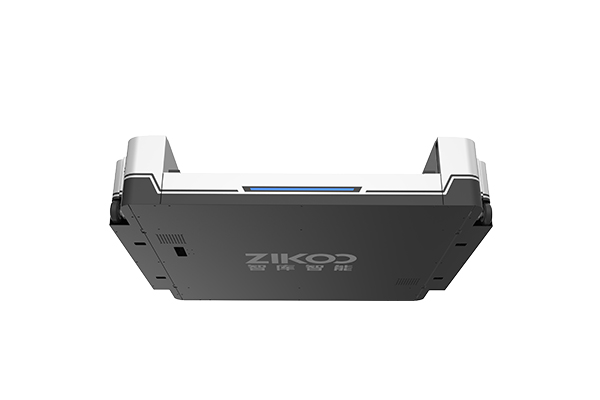
cURL Too many subrequests by single Worker invocation. To configure this limit, refer to https://developers.cloudflare.com/workers/wrangler/configuration/#limits
cURL Too many subrequests by single Worker invocation. To configure this limit, refer to https://developers.cloudflare.com/workers/wrangler/configuration/#limits
cURL Too many subrequests by single Worker invocation. To configure this limit, refer to https://developers.cloudflare.com/workers/wrangler/configuration/#limits
cURL Too many subrequests by single Worker invocation. To configure this limit, refer to https://developers.cloudflare.com/workers/wrangler/configuration/#limits
cURL Too many subrequests by single Worker invocation. To configure this limit, refer to https://developers.cloudflare.com/workers/wrangler/configuration/#limits
cURL Too many subrequests by single Worker invocation. To configure this limit, refer to https://developers.cloudflare.com/workers/wrangler/configuration/#limits
cURL Too many subrequests by single Worker invocation. To configure this limit, refer to https://developers.cloudflare.com/workers/wrangler/configuration/#limits
cURL Too many subrequests by single Worker invocation. To configure this limit, refer to https://developers.cloudflare.com/workers/wrangler/configuration/#limits
cURL Too many subrequests by single Worker invocation. To configure this limit, refer to https://developers.cloudflare.com/workers/wrangler/configuration/#limits
cURL Too many subrequests by single Worker invocation. To configure this limit, refer to https://developers.cloudflare.com/workers/wrangler/configuration/#limits
cURL Too many subrequests by single Worker invocation. To configure this limit, refer to https://developers.cloudflare.com/workers/wrangler/configuration/#limits
cURL Too many subrequests by single Worker invocation. To configure this limit, refer to https://developers.cloudflare.com/workers/wrangler/configuration/#limits
cURL Too many subrequests by single Worker invocation. To configure this limit, refer to https://developers.cloudflare.com/workers/wrangler/configuration/#limits
cURL Too many subrequests by single Worker invocation. To configure this limit, refer to https://developers.cloudflare.com/workers/wrangler/configuration/#limits
cURL Too many subrequests by single Worker invocation. To configure this limit, refer to https://developers.cloudflare.com/workers/wrangler/configuration/#limits
cURL Too many subrequests by single Worker invocation. To configure this limit, refer to https://developers.cloudflare.com/workers/wrangler/configuration/#limits
cURL Too many subrequests by single Worker invocation. To configure this limit, refer to https://developers.cloudflare.com/workers/wrangler/configuration/#limits
cURL Too many subrequests by single Worker invocation. To configure this limit, refer to https://developers.cloudflare.com/workers/wrangler/configuration/#limits
cURL Too many subrequests by single Worker invocation. To configure this limit, refer to https://developers.cloudflare.com/workers/wrangler/configuration/#limits
Si está interesado, eche un vistazo a estos artículos relacionados:
El Software de Almacén Inteligente PTP Empodera a las Empresas para Mejoras Inteligentes
Adaptación inteligente multi-escenario: El sistema de transporte en shuttle de seis vías de Zikoo impulsa la transformación digital del almacenamiento